" height="39.61165048543689px" id="ZNWWQDUsB" transform="translate(0 0.195)" width="39.79498837473122px"/><path d="M 14.36 13.33 C 15.643 13.33 16.374 11.864 15.601 10.841 L 7.888 0.619 C 7.048 -0.494 5.28 -0.022 5.107 1.362 L 4.627 5.196 C 4.496 6.248 4.009 7.224 3.248 7.963 L 0.475 10.653 C -0.526 11.624 0.161 13.32 1.555 13.321 Z" fill="rgb(255, 87, 199)" height="13.329661963960334px" id="BFIxPoook" transform="translate(3.344 8.474)" width="15.91740701520282px"/></svg>)
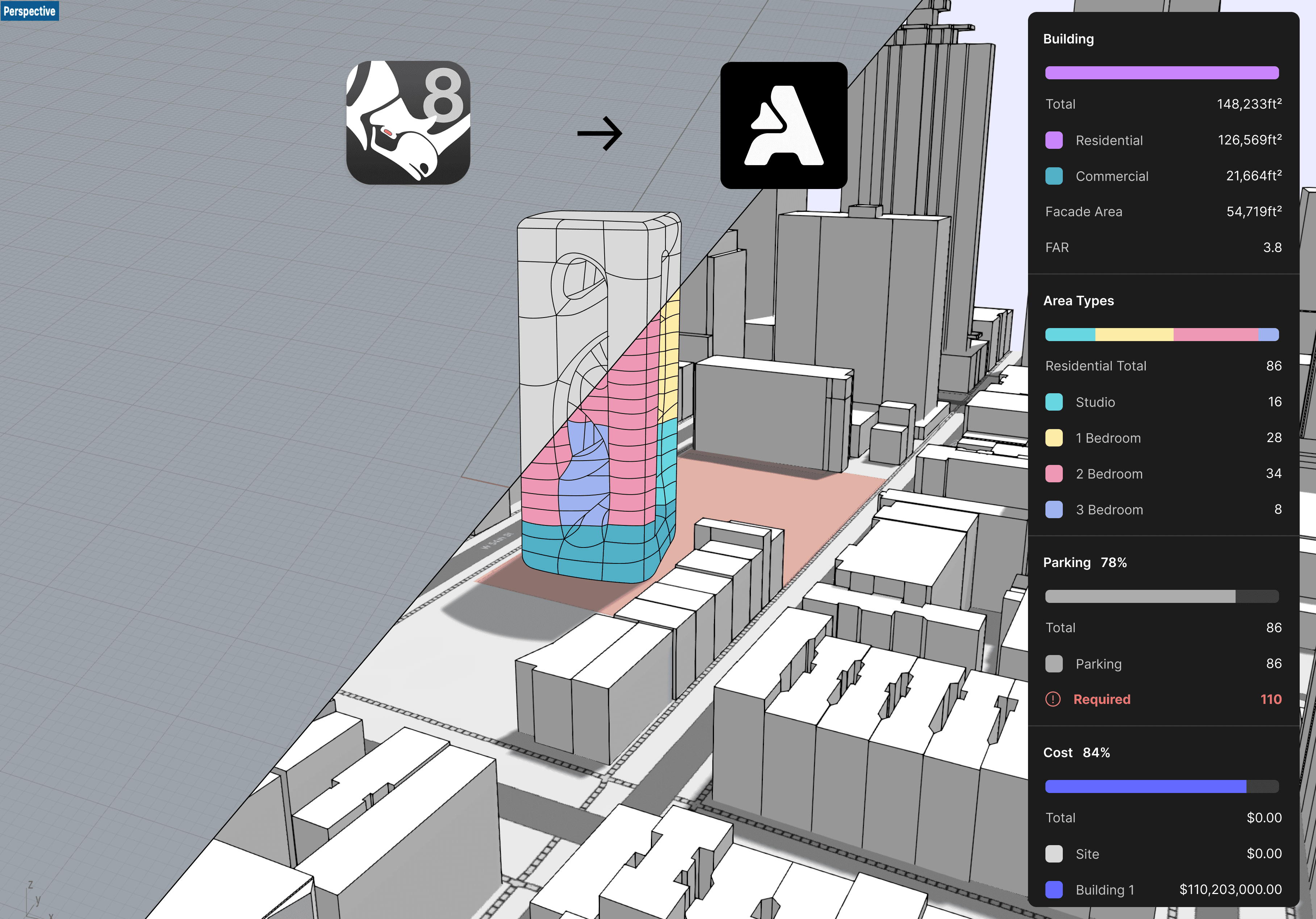
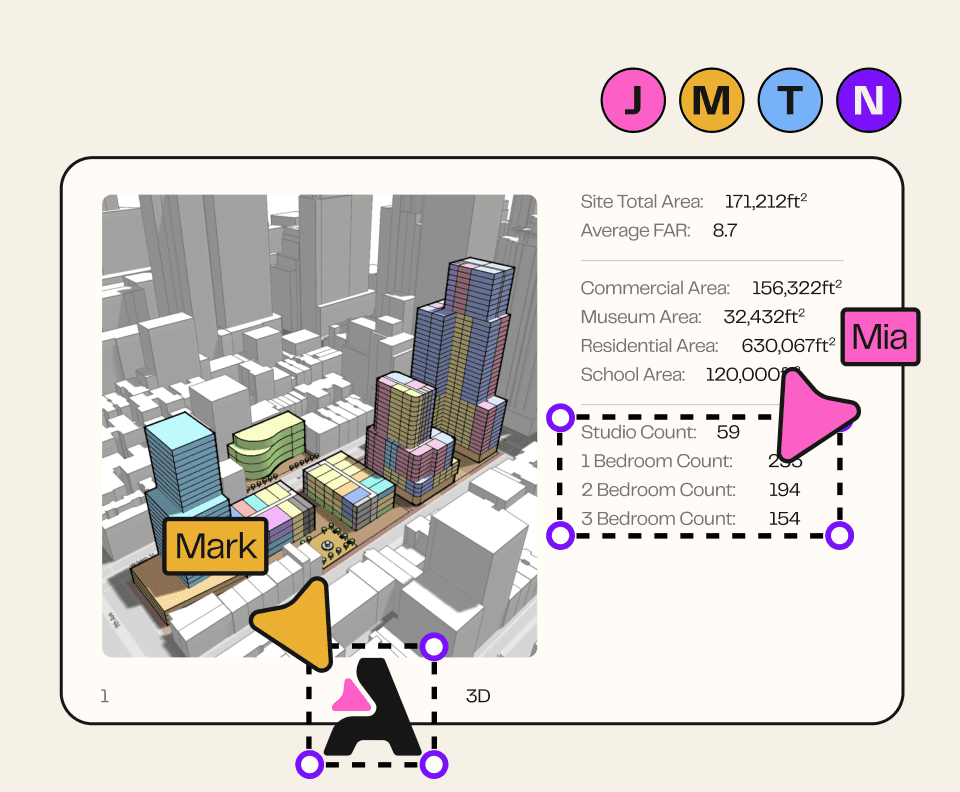
Our Rhino integration lets you link a Rhino model in Arcol to split into floors, get metrics, and create live updating presentations.
Check out this link for more information: https://intercom.help/arcol/en/articles/10447921-buildings-and-floor-plans

You can now connect tables on Boards to an Excel project!
Check out the help docs here to learn more.
🆕 What is new
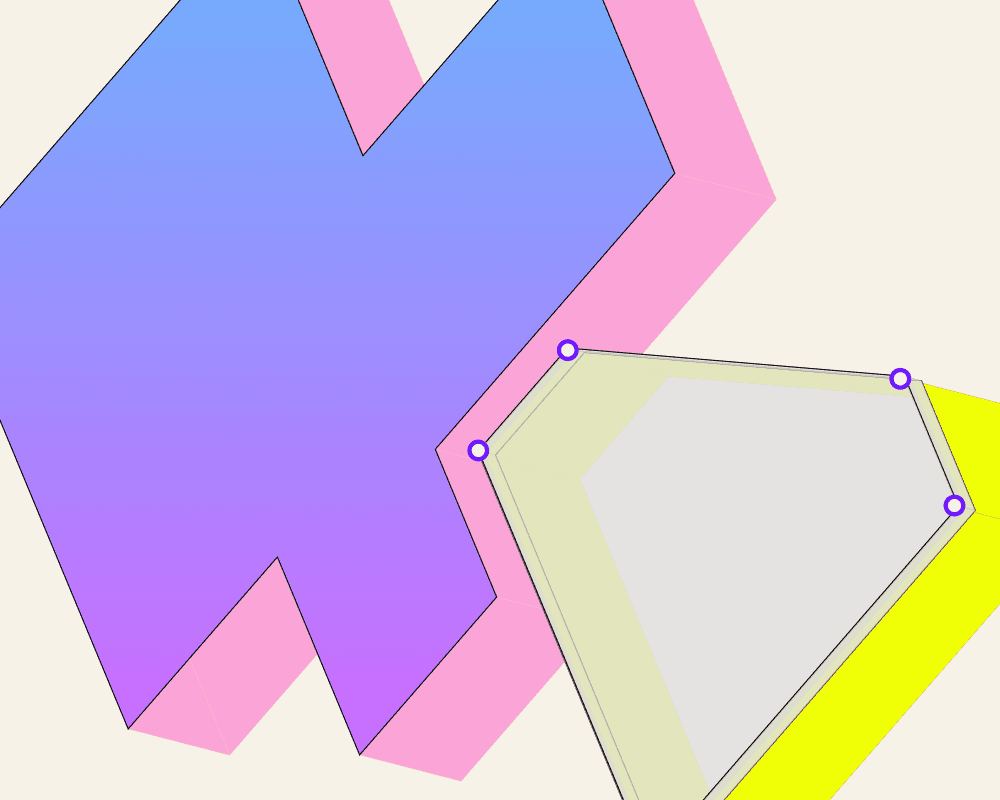
Site and floor plan workflows get more flexible. Users can now place reference images under floor plans and import custom terrain data from georeferenced files.
✨ Features
Image underlay on floorplans — Reference images under floor plans
Custom terrain from georeferenced file — Import custom terrain data
🐛 Notable Bug Fixes
Miscellaneous bug fixes and performance improvements
🆕 What is new
Setback tools receive a significant upgrade. The new version provides improved setback line creation and editing for zoning compliance workflows.
✨ Features
Setback V2 — Improved setback line tools
🐛 Notable Bug Fixes
Miscellaneous bug fixes and performance improvements
🆕 What is new
A major release bringing multi-user collaboration and advanced building modeling. Teams can now work together in real time while complex multi-story buildings enter beta.
✨ Features
Collaborative sandbox — Real-time multi-user workspace
Complex Buildings Beta — Multi-story building modeling
🐛 Notable Bug Fixes
Miscellaneous bug fixes and performance improvements
🆕 What is new
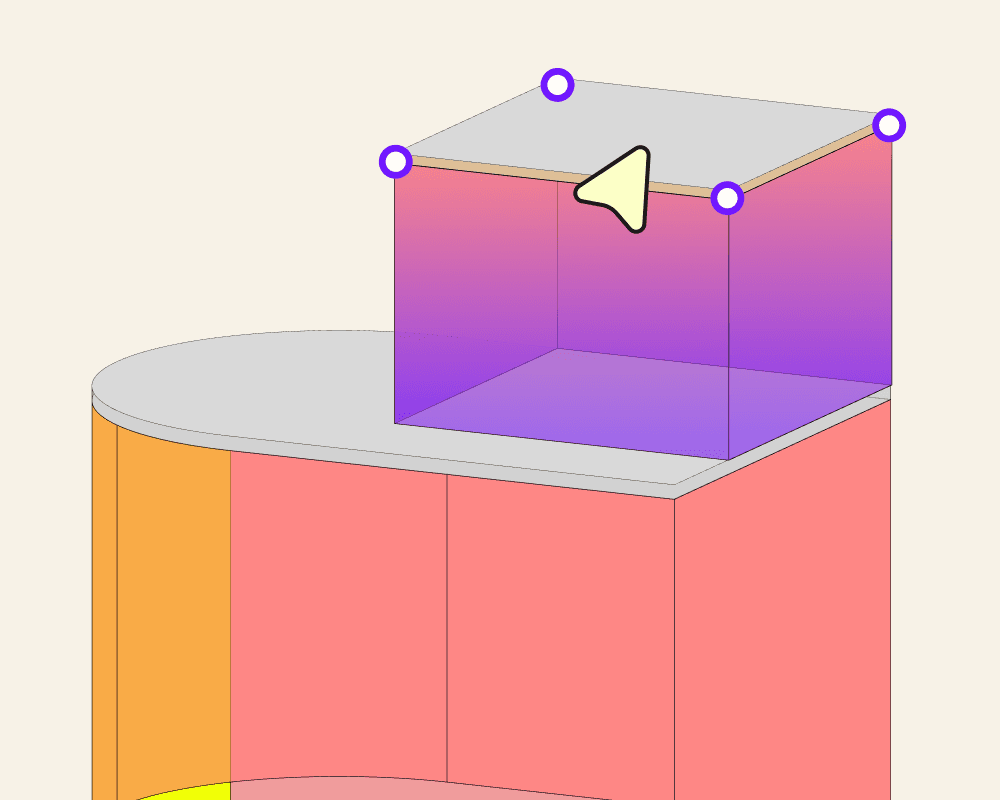
Rich text support brings formatted text to boards.
✨ Features
Rich text on boards — Formatted text in board layouts
🐛 Notable Bug Fixes
Miscellaneous bug fixes and performance improvements
🆕 What is new
Site boundary editing gets more flexible this week. Users can now add new vertices to existing boundaries and take advantage of enhanced boundary editing capabilities.
✨ Features
RISE site boundary requests — Enhanced site boundary editing
Add points to site boundary — Add vertices to existing boundaries
🐛 Notable Bug Fixes
Miscellaneous bug fixes and performance improvements
🆕 What is new
This release introduces Teams & Permissions, enabling organizations to manage team access and collaborate more effectively within Arcol.
✨ Features
Teams & Permissions — Team management and access control
🐛 Notable Bug Fixes
Miscellaneous bug fixes and performance improvements
🆕 What is new
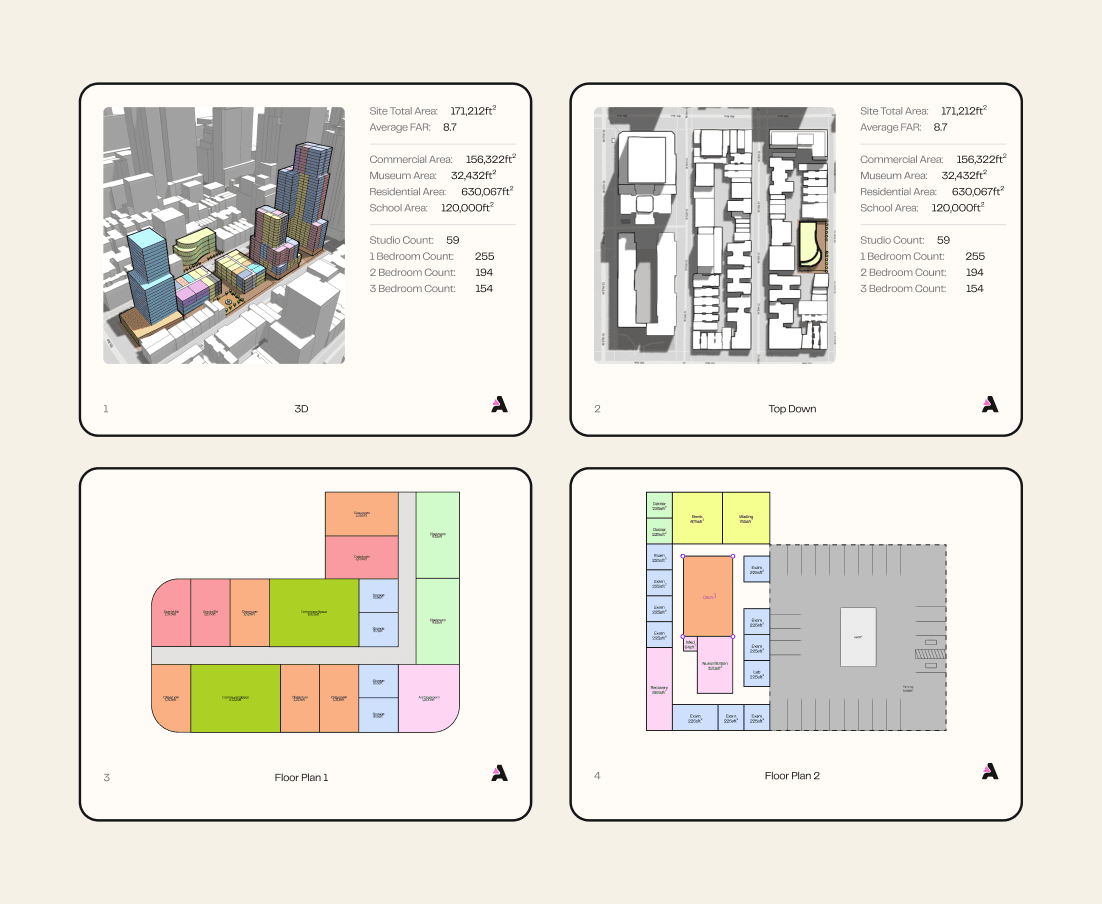
Zoning and efficiency metrics get a boost. Zoneomics integration brings automated zoning data lookup, and enhanced GFA and NSA calculations improve area analysis accuracy.
✨ Features
Zoneomics integration — Automated zoning data lookup
Efficiency enhancements (GFA & NSA) — Improved gross and net area metrics
🐛 Notable Bug Fixes
Miscellaneous bug fixes and performance improvements
🆕 What is new
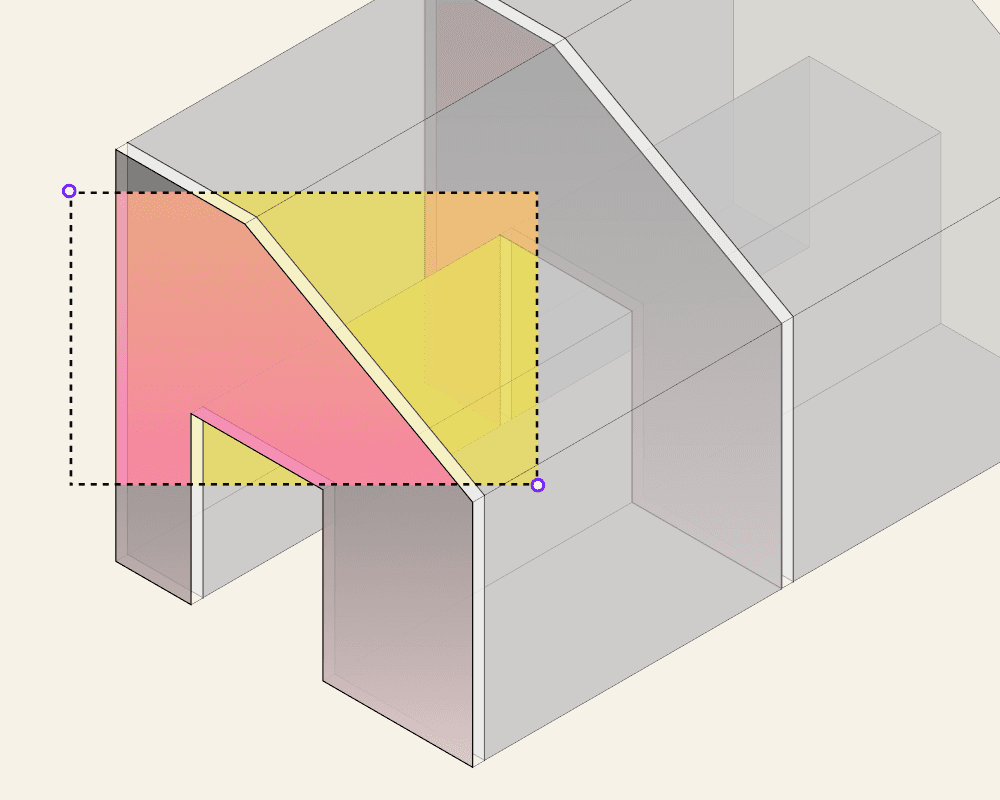
Structural grids arrive in Arcol, enabling users to overlay structural grid lines on their designs for coordination with structural engineering workflows.
✨ Features
Structural grids — Structural grid line overlays
🐛 Notable Bug Fixes
Miscellaneous bug fixes and performance improvements
🆕 What is new
The onboarding experience gets a complete overhaul. New users now receive a redesigned introduction to Arcol that helps them get productive faster.
✨ Features
Onboarding 2.0 — Redesigned new user onboarding
🐛 Notable Bug Fixes
Miscellaneous bug fixes and performance improvements
🆕 What is new
New charts display area type distributions and site usage breakdowns at a glance, helping users understand site utilization more effectively.
✨ Features
Site usage and Area Types charts — Visual analytics for site data
🐛 Notable Bug Fixes
Miscellaneous bug fixes and performance improvements
🆕 What is new
The first-run experience gets a complete refresh. The revamped new user experience guides users through Arcol's core workflows with improved clarity and flow.
✨ Features
New User Experience Revamp — Redesigned first-run experience
🐛 Notable Bug Fixes
Miscellaneous bug fixes and performance improvements
🆕 What is new
A quality-of-life addition for documentation workflows. Users can now insert today's date as dynamic text that automatically updates on boards and sheets.
✨ Features
Today's date as dynamic text — Auto-updating date labels
🐛 Notable Bug Fixes
Miscellaneous bug fixes and performance improvements
🆕 What is new
Floor plan views on boards are now rendered as vectors, delivering sharper visuals and better performance for documentation and presentation workflows.
✨ Features
Vectorized floor plans on boards — Vector-rendered floor plan views
🐛 Notable Bug Fixes
Miscellaneous bug fixes and performance improvements
🆕 What is new
Data portability improves with CSV export for board tables. Users can now download their dynamic table data for use in external tools and spreadsheets.
✨ Features
Export table as CSV — Download board tables as CSV
🐛 Notable Bug Fixes
Miscellaneous bug fixes and performance improvements
🆕 What is new
A data-rich week bringing subcounts per area, parking metrics in tables, and color coding for complex buildings. These additions enhance both analytics and visualization capabilities.
✨ Features
Subcounts per area — Area-specific unit breakdowns
Parking counts in tables — Parking metrics in data tables
Complex building coloring — Color coding for complex buildings
🐛 Notable Bug Fixes
Miscellaneous bug fixes and performance improvements
🆕 What is new
Site setup gets easier with custom boundary imports. Users can now bring in site boundaries from external files instead of manually drawing them.
✨ Features
Custom site boundary import — Import boundaries from external files
🐛 Notable Bug Fixes
Miscellaneous bug fixes and performance improvements
🆕 What is new
3D Blocks expands the block system beyond sketches. Users can now save extrusions, lofts, groups, and buildings as reusable blocks across projects.
✨ Features
3D Blocks — Save 3D objects as reusable blocks
🐛 Notable Bug Fixes
Miscellaneous bug fixes and performance improvements
🆕 What is new
Excel integration arrives, connecting Arcol's board data directly to Microsoft Excel. Users can push table data from boards into Excel workbooks for external analysis and reporting.
✨ Features
Excel Export/Integration — Push board data to Excel
🐛 Notable Bug Fixes
Miscellaneous bug fixes and performance improvements
🆕 What is new
Two major additions this week. Rhino integration launches in alpha, connecting Arcol with Grasshopper workflows, while dynamic data tables bring live metrics to boards.
✨ Features
Rhino integration Alpha — Rhino and Grasshopper connectivity
Dynamic tables on boards — Live data tables on boards
🐛 Notable Bug Fixes
Miscellaneous bug fixes and performance improvements
🆕 What is new
GFA and NSA efficiency calculations are now available directly in dynamic tables on boards, giving users quick access to key area metrics alongside their designs.
✨ Features
Efficiency (GFA, NSA) in dynamic tables — Area metrics in board tables
🐛 Notable Bug Fixes
Miscellaneous bug fixes and performance improvements
🆕 What is new
Building coloring can now be customized per view, allowing users to set up different color schemes for different perspectives of the same project.
✨ Features
Per view building coloring — View-specific building color settings
🐛 Notable Bug Fixes
Miscellaneous bug fixes and performance improvements
✨ Features
The
Import Projectbutton is now in a dropdown under theCreatebutton (the “Create” button was renamed from “New Project”)
🐛 Notable Bugs
n/a
✨ Features
Zoneomics integration allows you to pull zoning info for sites in the US
🐛 Notable Bugs
n/a
✨ Features
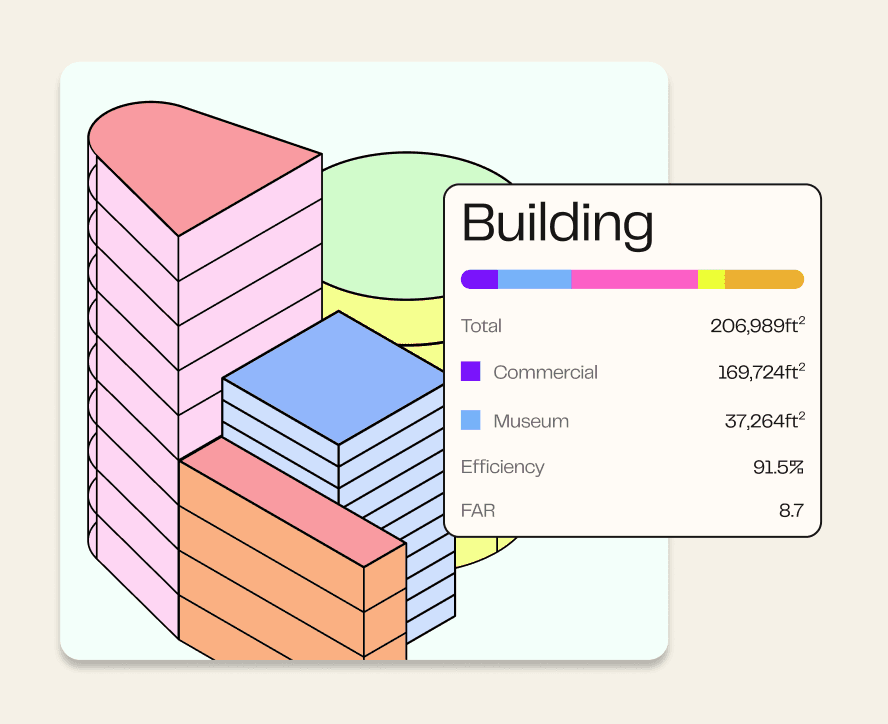
You can now choose to break down total area as GBA/GFA/NSA
🐛 Notable Bugs
n/a
✨ Features
You can now mirror elements! The mirror tool can be found in the move/rotate dropdown in the main toolbar
🐛 Notable Bugs
Minor fixes
✨ Features
Projects set to Viewer permissions can now be viewed by anyone, even if they aren’t logged into Arcol and/or have an Arcol account
🐛 Notable Bugs
Some DWGs were unable to be imported. We rewrote our importer and it should now support all DWG files
✨ Features
“Personal projects” has been renamed to “Drafts” to more accurately reflect their intended use
The push/pull tool got a big upgrade! You can now push/pull coplanar faces across an entire building or per floor in addition to the previous behavior of push/pulling individual faces
🐛 Notable Bugs
Minor fixes
✨ Features
Sketch points can now be multi-selected via shift click or box selection for bulk deletion
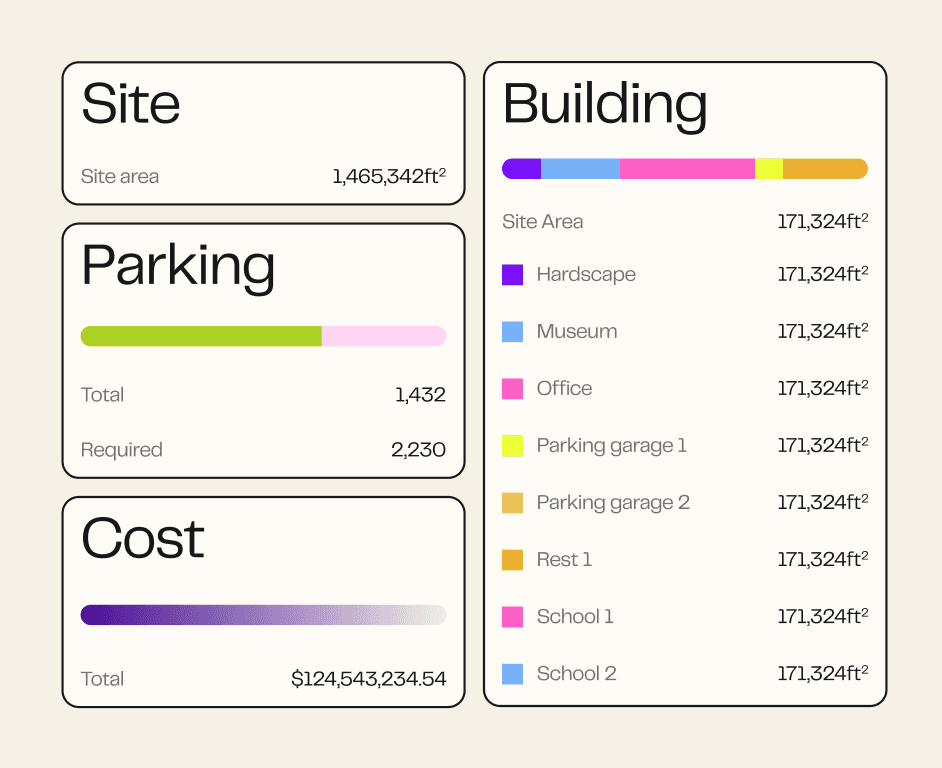
We’ve reorganized the button bar in boards a bit to put all the metrics features together
🐛 Notable Bugs
Minor fixes
✨ Features
The measure tool (hotkey “T”) is now also available in floor plan views
Orbit behavior has been improved → You can now zoom in to an object and orbit around it in context
You can now frame objects to zoom in and focus them → Right click on selected elements to and choose “Frame selection” or hotkey “F”
🐛 Notable Bugs
Fixed - Newly created area types were not being included in the area count list by default
Fixed - Copying multiple times in the move tool resulted in incorrect copy distance
Fixed - Fonts were incorrect when exporting to PDF
Fixed - Some lines were not showing in orthographic views
✨ Features
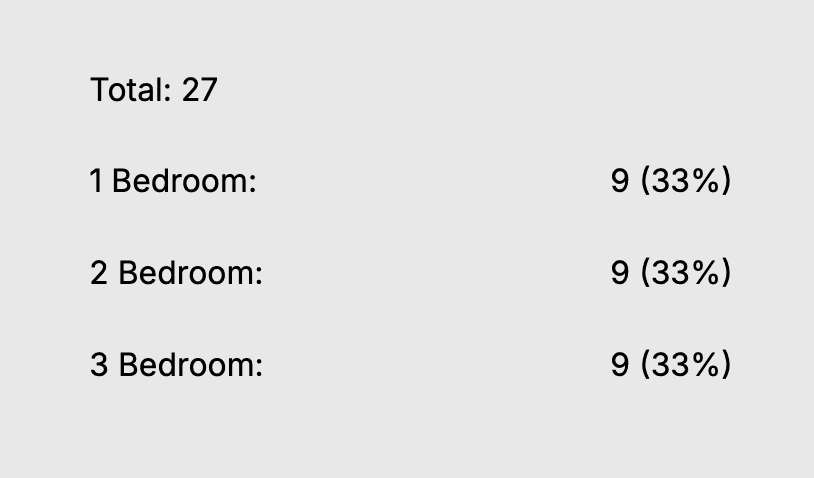
There’s are 2 new sources for metrics charts: “Area Types” and “Area Type Counts”
You can now add points to a site boundary by clicking on an edge while editing
🐛 Notable Bugs
Fixed - void face area was being counted towards FAR
Fixed - copy/pasting items from sheets wasn’t working as expected
Fixed - sheet ordering was unexpected (1, 2, 10, 11). Now follows proper numeric ordering
Fixed - text alignment wasn’t working when editing text
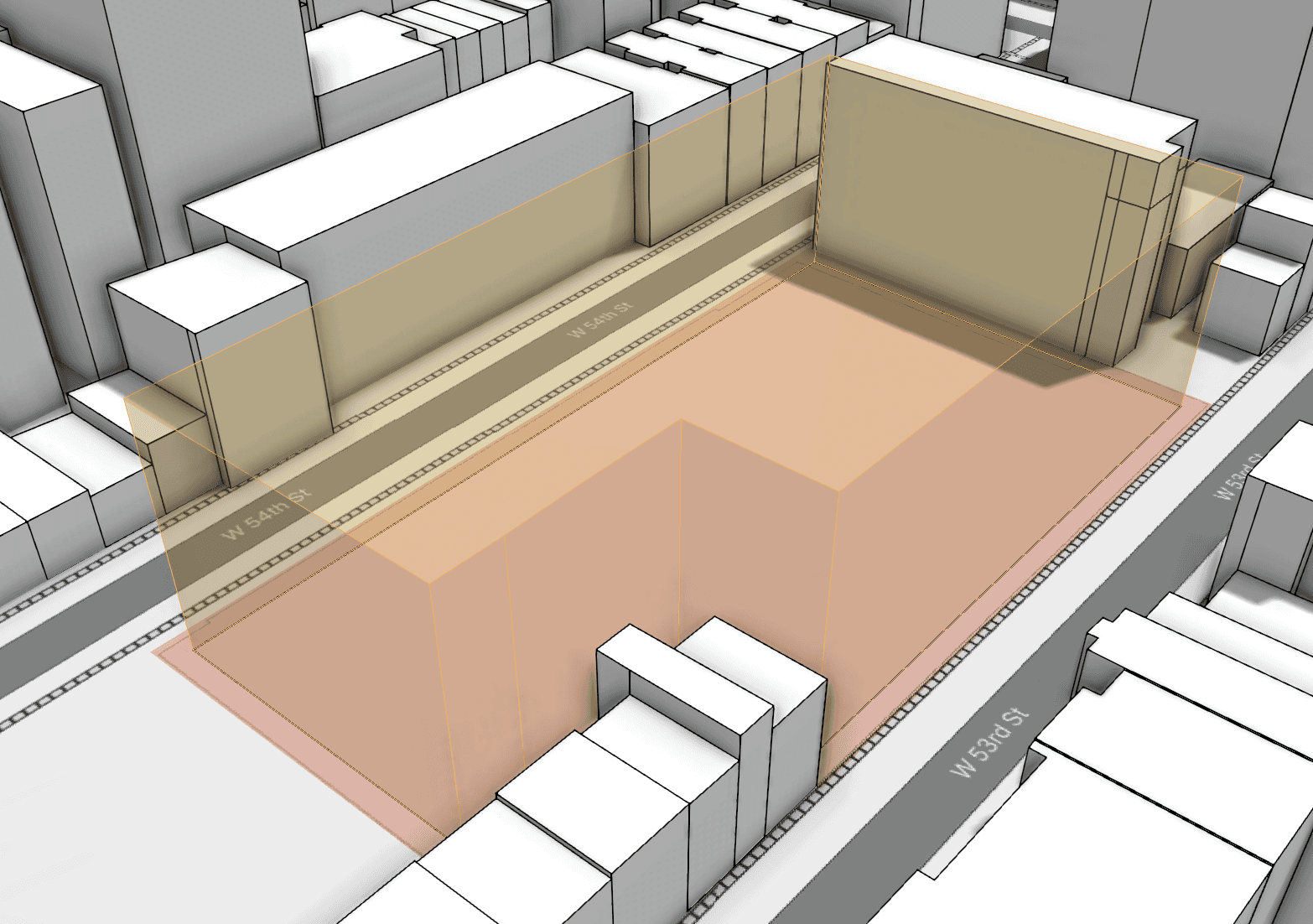
✨ Features
You can now enter lengths and angles while creating a site boundary
You can now snap to other site boundaries and scene objects while creating a site boundary
Site envelopes now show edges to make them more readable
Site envelope can now be hidden/shown via a toggle in the Envelope section
🐛 Notable Bugs
Fixed copy/pasting text on a board would result in an additional text box being created
Fixed incorrect orthographic views when they are cropped and resized
✨ Features
New interactive tutorials → Floor plans, metrics, boards
You can now select-all in boards with
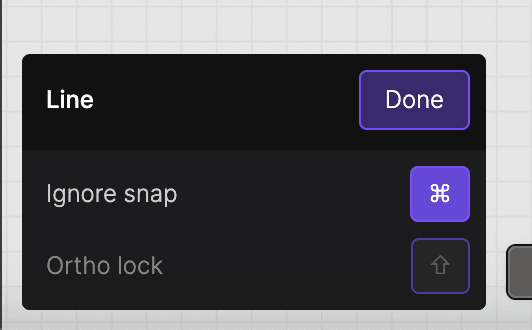
ctrl+aNew tool menus → Most tools now have a menu that appears to show you hotkeys or applicable inputs
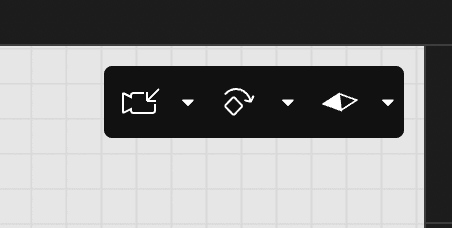
New reset view icon and menu for saving options → The save view updates button icon has been updated to be more clear
🐛 Notable Bugs
Boards views were sometimes blank or blurry. Not only is this fixed, but boards are now very fast!
Not really a bug, but building and floor plan labels had weird default sizes. The default size has been adjusted to 1

✨ Features
Charts on Boards → There’s a new shape in the Boards menu! You can choose between Pie, Donut, Bar, Stacked Bar, and Summary chart types and style the chart via the right sidebar properties when a chart is selected. Charts work the same as Dynamic Text - choose a View and Source and they update automatically as your model changes
Dynamic Text and Chart scope → Dynamic Text and Charts have a “Scope” property which lets you choose which sites/buildings are included in the metrics
Sheet sets update → You can now launch a sheet set in 1 click with the new button found beside the Share button on Boards. Sheet sets have been simplified - there is now just 1 sheet set per board. You can choose to exclude sheets from the set by selecting a sheet and unchecking the “Include in sheet set” checkbox, and sheets can be reordered in the sheet set viewer by clicking and dragging the sheets in the left sidebar.
Comments on boards and sheet sets → Click the button in the toolbar or hotkey “ctrl/cmd” + “c” to enter the comment tool. Comments support attachments, mentions (mentioned person gets an email), emoji reactions, unread/read status, and can be resolved. Comments created on sheet sets are shown on the sheet on the board, but comments created on boards are not shown in the sheet set.
Text box resizing on boards → Text on boards now has a “Resizing” property with 3 options - auto width/height, auto height, or fixed.
Image button on boards → You could always drag images into Boards, but now there is a button in the menu as well
Copy/paste behavior in Boards → If you copy an element on a sheet and paste it on another sheet it will maintain the same relative sheet position. You can now also copy/paste from the browser (eg. Google images)
You can now select all elements on a Board with “cmd/ctrl” + “a”
New view save/reset buttons - We’ve updated the icon and text to make the view management buttons more clear
Function and Area Type section headers → Previously when you assigned a Function or Area Type to an element the headers went away. Now they stay, and the assigned Function/Area Type is shown as a button to more clearly indicate that it can be clicked and changed.
Site context feels even faster! → Context is now loaded incrementally, making it feel faster and telling you right away that things are working as expected. You won’t notice much on smaller context, but it’s very noticeable on large dense contexts like the gif below (2mi of NYC)
🐛 Notable Bugs
There were a couple serious issues with push/pull → Sometimes it would extrude negatively, and sometimes the extrusion would disappear altogether. These have both been fixed
When creating a new floor plan, it would duplicated the most recently created floor plan rather than the currently selected floor
✨ Features
You can now edit multiple elements at the same time on boards
Text editing has been greatly improved on boards, including a new Resizing property (auto-size, auto-height, fixed dimension)
New context menu action of boards to “Bring to Front” or “Send to back”
Sheets on boards can now be renamed by double clicking the sheet name on the canvas or by selecting the sheet and renaming in the right sidebar
You can now copy/paste from your browser (eg. Google images) into a board
When copy/pasting an element from one sheet to another, the pasted element is now placed in the same location on the new sheet as it was copied from on the original sheet
🐛 Notable Bugs
Nothing notable
✨ Features
Convert site geometry to editable geometry → When you have a site context building selected you will now see a button to “Convert to editable geometry”. This allows you to edit the position, height, sketch, function, etc of site context buildings
You can now assign Area Types to sketches and extrusions
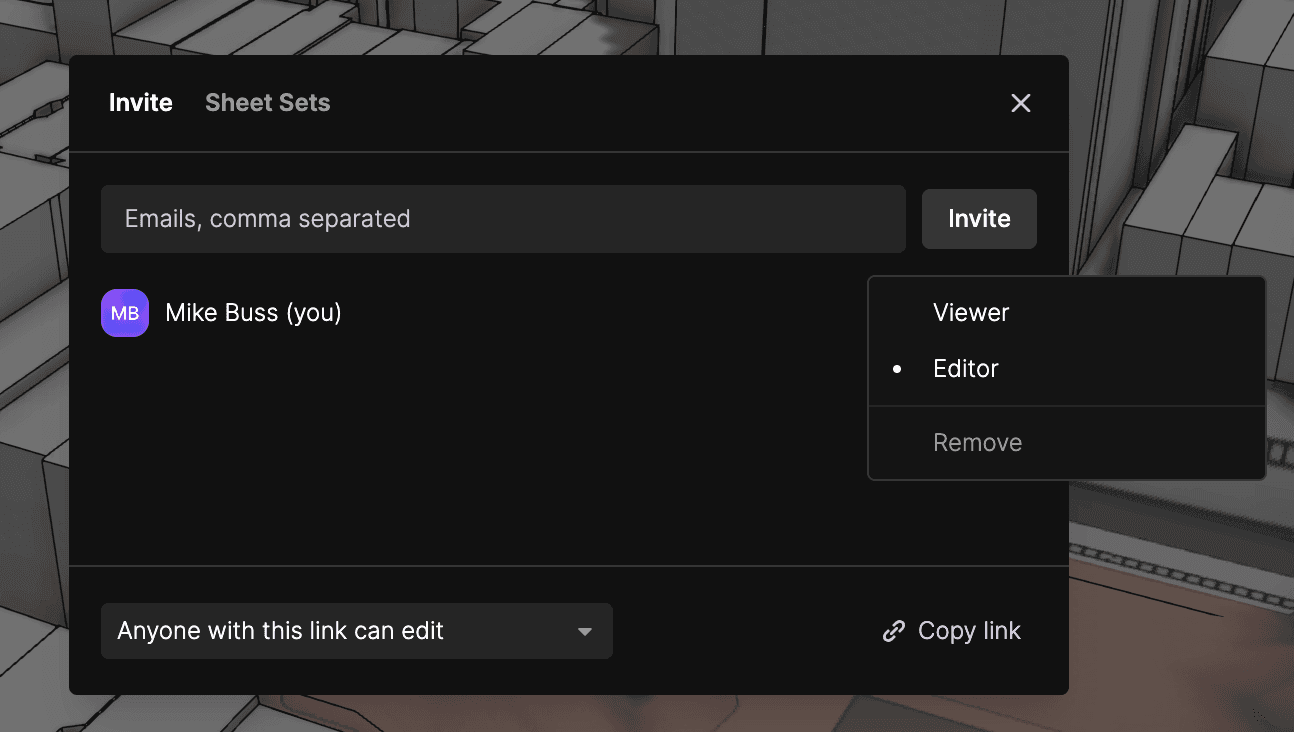
You can now manage project permissions on a per-project level
Floor plan view labels are now resizable and are saved per view
Building labels are now resizable and saved per view
Lots of things that aren’t quite ready to release yet → Lofts & Lofted Buildings, Teams, and Detail Lines. Coming soon!
🐛 Notable Bugs
Ortho lock for the pen tool on boards had regressed. You can once again hold shift to ortho lock.
Lots of minor fixes and stability improvements
✨ Features
New login experience → You can now login with a password, Google, or Passkey in addition to the previous experience of being emailed a login code
Void faces → This one has been a request for a while…we now support donut buildings! You can select any face in your floor plan and set it to being a void. This is extra powerful because you can still assign a function or area type to a void face so that it cuts a hole in your building but can still have metrics pulled from it (eg. courtyard square footage).
Boards navigation controls → You can now pan in boards by clicking and dragging the middle mouse button or by holding shift + clicking and dragging the right mouse button (same pan controls as in the model space)
Boards improvements → We’ve made lots of small improvements to boards like the ability to reposition a view inside its crop region. Dynamic Text now lives in the Text dropdown…which seems more logical.
Income per area type → You can now set income per area type by unit or by area.
🐛 Notable Bugs
Lots of minor fixes and stability improvements
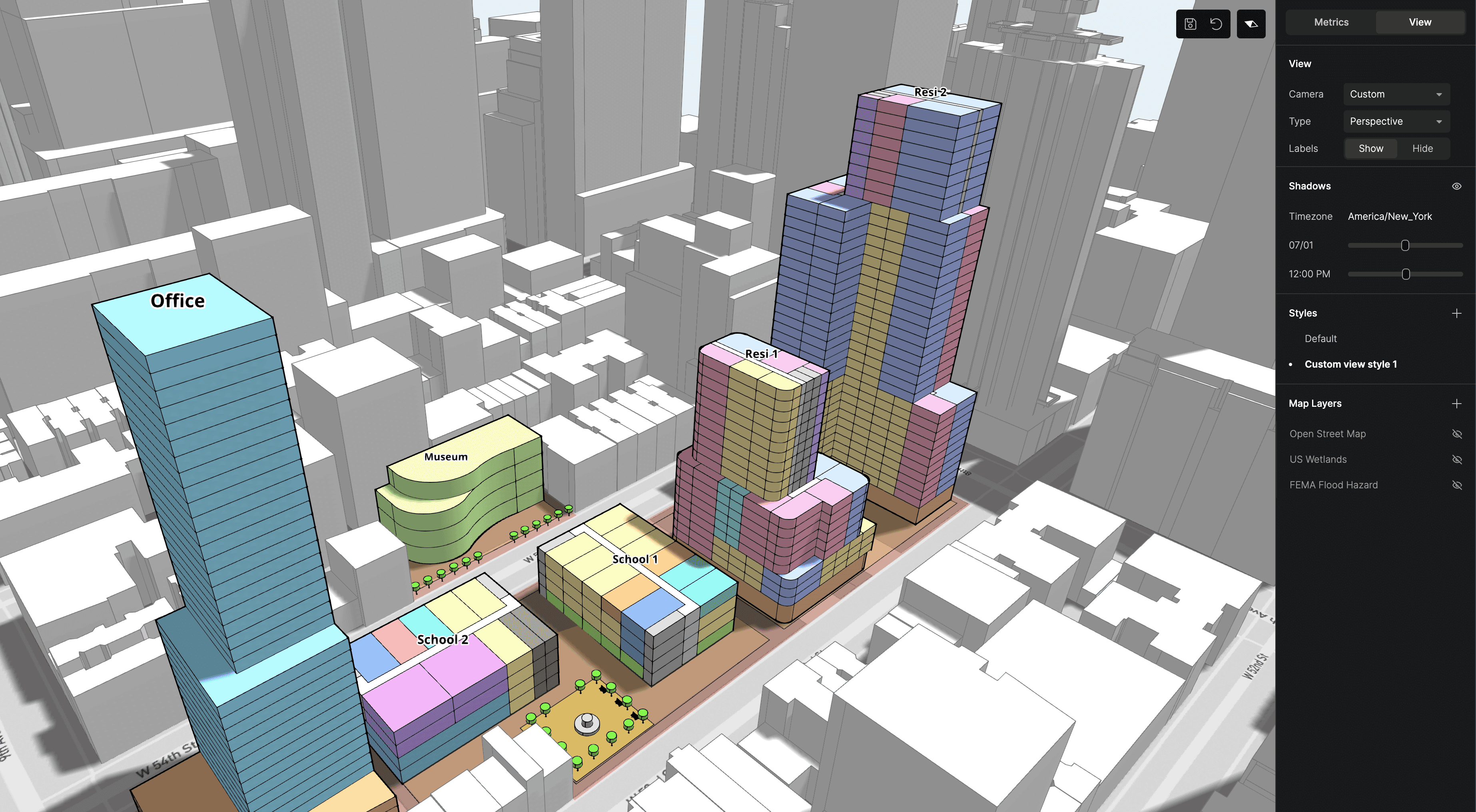
✨ Features
Circles and rectangles can now be created in the pen tool, allowing you to create rectangular and circular areas in your floor plans.
Building labels → There’s a new toggle in the View tab of the right sidebar to show building labels. These labels are auto-positioned in the center of the top floor of buildings and display the building name. Use these to make it easier to discuss your multi-building sites with clients and coworkers!
Terrain editing got a big upgrade! Now you can create flat area sketches using the same features as the pen tool.
Did you know that the left sidebar and metrics sections are collapsible? We’ve increased the clickable are for collapsing, and now when you hover on a collapsible section you’ll see a caret appear beside the section name
🐛 Notable Bugs
Lots of performance improvements to boards
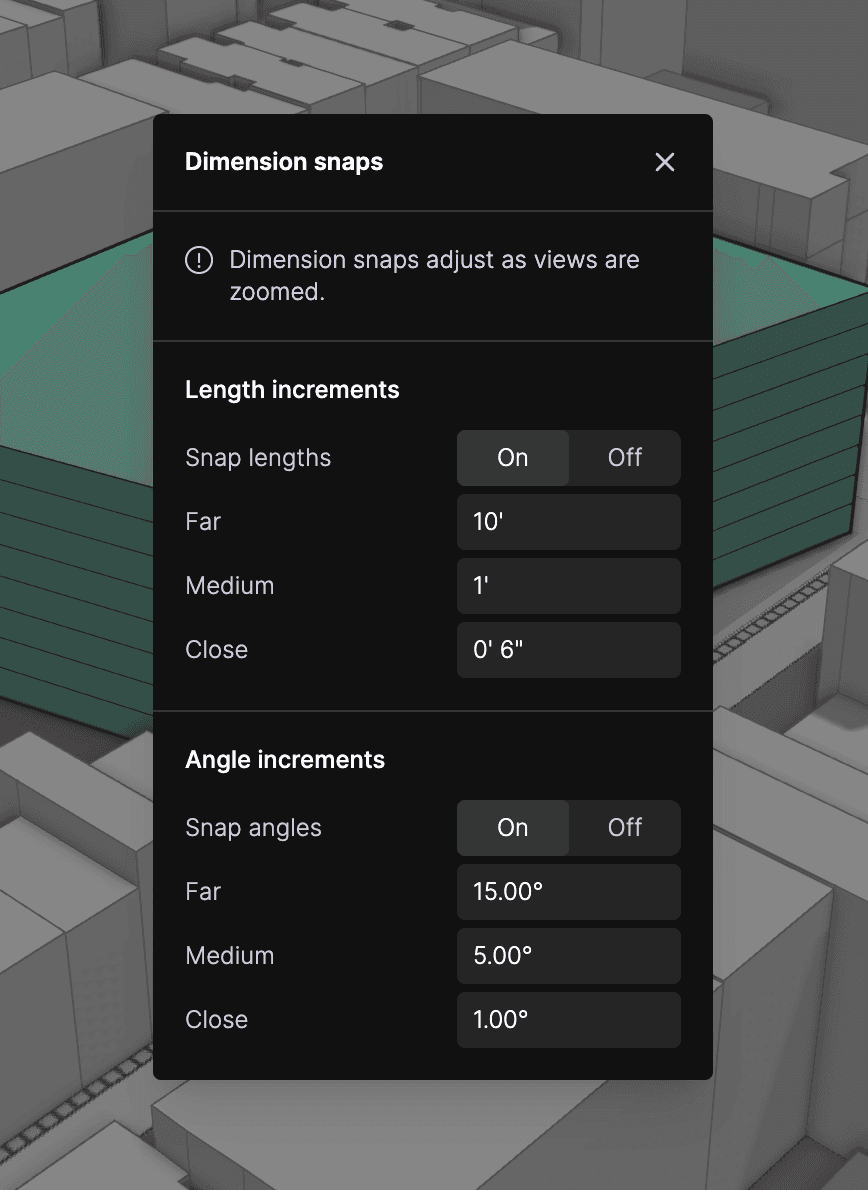
✨ Features
Snap increments! → Not only do we now have snap increments, but you can adjust the angle and length increment for
Far,Medium, andClosezoom levels. Increments are on by default in new projects - to turn them off or adjust increment values go to main menu → Project → Snap Increments.
You can now edit the opacity of imported images
Non-floor plan orthographic views (eg. the default “Top” view) now have a default scale of 1” = 200’-0” on boards. Floor plan views still have a default scale of 1/8” = 1’-0”
The
Rotateinputs have been removed from the right sidebar to provide better focus to the other inputs → You can use the rotate tool for rotation
🐛 Notable Bugs
Extrusions contributed to facade area, carbon, and cost - now only buildings contribute to these metrics
In some cases only the first floor of a floor plan was created from importing an Arcol project into Revit
Various boards performance improvements - boards should feel a lot snappier now
✨ Features
Site context got a whole lot more performant! The video below shows 2 miles of site context orbiting at 60fps 😎
🐛 Notable Bugs
Views on boards got clipped when you zoomed in. Not any more!
✨ Features
Views on boards can now be set to a scale via a property in the selected view right sidebar
🐛 Notable Bugs (Many more fixes not mentioned below)
Sometimes it was impossible to progress past step 11 of the tutorial due to a snapping issue. This is now fixed
Video: https://www.loom.com/share/a36782858efb45e9ba41be4d86f0d408
✨ Features
Metrics filters → You can filter the metrics sidebar by site and by building
The Site section of the Metrics sidebar now includes site coverage for buildings and surface parking
Sections in the Metrics sidebar can now be collapsed by clicking on the header name
Sites can now be renamed
Site boundary vertices can now be deleted, allowing you to clean up imported Regrid boundaries
The map underlay dropdown has been moved from the View tab to the selected Terrain sidebar
Many, many, many snap improvements → Let us know if there’s more snaps you’d like to see!
New color picker → Supports copying and pasting hex values
View save/reset buttons now appear in the top right when a view’s defaults have changed, and the dot beside the view name now indicates that it has changed (previously the dot indicated what view was selected)
“Metrics text” on boards is now called “Dynamic text”
Efficiency, View Name, and Sheet Name are now available as a dynamic text sources
You can now hold Alt while dragging an element on a board to copy it
Images and views on boards can now be cropped
There’s now an “Examples” section in the project browser - we’ll be adding more example projects there in the near future
There’s now an “Updates” section in the project browser that links to all the release notes
🐛 Notable Bugs (Many more fixes not mentioned below)
Floor plan sketches could be deleted, causing the app to crash
Trim/extend did not work below a certain distance
Selection and lighting was strange in Top view
Video: https://www.loom.com/share/b4c511f5e49c460399b49bdf58c969bc
✨ Features
Copy/paste between projects → This allows you to create typical buildings and save them in a single project to copy/paste into new projects
Arc’d faces can now be push/pulled
Hold “Ctrl/Command” to select a range between 2 selected floors
Graphics styles → SSAO, background color, and edge styles can now be edited and saved to a style. Styles are applied per view.
Floor plan views now default the right sidebar to the View tab
You can now turn off area and length labels on floor plan views
DWGs can be imported as underlays in floor plans
Unit precision can be set in the Units menu
Hovering on functions and area types in the metrics sidebar highlights the geometry assigned that function/area type
You can now duplicate a design option
Deleted projects now go to an archive and can be restored
🐛 Notable Bugs (Many more fixes not mentioned below)
Copy/paste stability
Video: https://www.loom.com/share/fde5fec1fa884d2b984aa92c4968f641
✨ Features
Greatly improved image import UX → Set scale and rotation on initial placement and set reference points to set an exact dimension to scale an image.
Metrics sidebar UI update → Area Types section now has 3 modes: Units, Total Area, and Size per Unit.
Targets → Set required number and size of units and view target vs actual values in the metrics sidebar
Metrics sidebar now shows “Unassigned” areas.
Metrics sidebar now shows “Efficiency”.
Floor plan underlay → In floor plan views you can now select another floor plan from the same building to underlay.
Unconnected endpoints in sketches now show as orange diamonds. This makes it easier to spot lines that seem connected at higher zoom levels but are actually unconnected.
🐛 Notable Bugs (Many more fixes not mentioned below)
Metrics menus could be opened so that they extended outside the window. Now they adjust position based on window size.
Hovering on sketch faces often resulting in the hover effect getting stuck and staying around. Now it clears when you’re not hovering as expected.
Lots of improvements to stability of creating sketches and assigning functions/area types to arcs.
✨ Features
Floor plans → You can now assign different floor plans to different floors in a building. You can also split floors into multiple areas and assign area types for more accurate square footages and unit counts.
Setbacks → There’s a new section in the site boundary sidebar for setbacks. Setback distance can be set per-side, and height can be given to create a site envelope.
Carbon metrics → We integrated EHDD’s EPIC assessment for real-time carbon metrics.
Contextual dimensions → Sketch lengths and areas now show while hovering points or areas while editing a sketch.
Better terrain → Terrain is now much smoother and a lot more performant.
✨ Features
Split view → You can now have multiple views open at the same time! Just right click on a view name and choose “Open in split view” in the context menu.
Unit mix → Unit count just got a LOT more accurate. You can now add unit types per building function and set a unit size, parking requirement, and ratio per unit type. The Residential function has default unit types set up, but you can add unit types to any function.
✨ Features
Auto-select site boundary using Regrid → If you select a location in the US you’ll see a “Select site boundary using Regrid” checkbox appear on the map overlay. If you check the box the next screen allows you to pick one or more parcels to use for your site boundary.
Save/reset view UX update → No more UI in your way on the canvas. Now when one or more defaults for a view have changed a yellow ring is shown beside the view name. Right click on the view to see the Update and Reset options.
Unit counts → You can now assign unit sizes to building functions to get unit counts.
Fixed and per unit parking → Parking can now be calculated based on units or given a total fixed number per function.
Per-view settings → Shadows and design option visibility are now set per view.
New camera → This shouldn’t be too noticeable, but we’ve implemented our own camera from scratch to make future tweaks easier.
DWG import → DWG has been added to the list of import options. 3D DWGs are supported as well!
General UX improvements → You’ll notice lots of small improvements throughout the app, from the right sidebar menus to tabs being shuffled
—
What’s next
Topography - Still working on this, but making good progress. Progress shot below showing site boundary on terrain and editing terrain.
Floor plans - Still working on this, will be done early 2024.
Open multiple views at the same time - This will allow you to easily compare multiple design options simultaneously rather than having to toggle between them in the sidebar.
More options for visualizing metrics on boards - Giving the ability to show metrics as other formats (eg. donut chart).
✨ Features
Construction planes → Specify if you’d like to be sketching on the XY, XZ, or YZ plane. This feature supports all tools (including move, rotate, and click + drag), and different default views have default construction plane orientations (eg. elevations are XZ or YZ by default).
Design options → You can now create multiple design options as well as multiple design option sets. This allows you to view different combinations of things like parking and building options.
Rectangle UX update → The rectangle tool has been updated to allow you to draw rectangles off-axis. The new flow is to first set the height of the rectangle (on any angle) and then set the width.
Snapping update → Alignments now work for off-axis lines.
✨ Features
Massing floors got a big upgrade! There’s now a section called “Floors” when an extrusion is selected → click the “+” to split the extrusion into floors (defaults to 3m floor height). From there you can edit floor count and floor height, including custom floor heights for individual floors
Lots of metrics polish, see image below
✨ Features
Shadows! You’ll now see a shadow toggle after you’ve selected your project location. When toggled on, you can adjust the date and time and the shadows will be accurate for the selected location
Download sheet sets as PDF - when viewing a sheet set you’ll notice a new download button beside the comment button in the toolbar. Clicking it will download that sheet set as a PDF
You can now choose between importing a satellite or map image underlay for site context (requested by Dan Audette) → you’ll notice a map style button in the bottom left of the site context modal
The site context map image is now higher quality/less blurry
The site context map no longer shows as black in the view before it is loaded (now it doesn’t show at all until it’s loaded)
The view is now automatically set to zoom extents after importing site context
Arrays can now be edited via double click
Faces now become highlighted when using the pen tool to indicate which face you’ll be drawing on, and there’s now snaps when drawing on a face
Improvements
The site context map image is now higher quality/less blurry
The site context map no longer shows as black in the view before it is loaded (now it doesn’t show at all until it’s loaded)
The view is now automatically set to zoom extents after importing site context
Arrays can now be edited via double click
Faces now become highlighted when using the pen tool to indicate which face you’ll be drawing on, and there’s now snaps when drawing on a face
✨ Features
Metrics! Split masses into storeys, assign site/building/parking typologies, get real time area, parking , and cost calculations
Metrics on boards → there’s a new element in the shape dropdown on boards:
Metrics. This allows you to place sections from the metrics sideboard on a board/sheet. These sections update in real time as the model is editedArray along path → there’s now a
Pathoption in the array dropdown when you have a solid selectedTitleblock components V1 → you can now save sheet templates to reuse in your project, and you can publish them to your company domain
DALL-E image generation on boards → another new element in the shape dropdown on boards:
Generate image. This allows you to enter a prompt to generate up to 10 images on your board.UX improvement → you can now select sweep profile/path in any order and Arcol will magically figure out which is which
✨ Features
Arrays! → rectangular, linear, and polar arrays are now supported. Click on any extrusion, boolean, sweep, or loft and you’ll see an array dropdown button appear. As always, arrays are non-destructive and can be edited after creation via parameters in the right sidebar.
Materials → V1 of realistic materials is in. Select any colorable element and you’ll see a material dropdown in the right sidebar.
You can now double click on sweeps, booleans, lofts, and extrusions to edit their input elements
The reset/set view buttons now appear at the bottom middle of the canvas when a view is changed (people in the preview release had difficulty finding this functionality)
You can now hold
Cmd/Ctrlto disable snaps while drawingUpdated pen tool and rectangle UX → typing in a value while creating now “locks” that value. Previously values would get reset if you moved your mouse. Now you can lock in a dimension and then move your cursor to set the angle (for example).
Dimension inputs now support fractional feet and inches (currently set to 1’8” precision)
Levels can now be edited via the active level dropdown in the right sidebar. To edit, hover a level in the list and click on the edit button that appears
✨ Features
Doors and windows now stay stationary when editing the host wall (Thanks @johntpierson)
You can now double click on an extrusion to edit its input sketch (Thanks @andrewheumann)
Sketches can now be extruded downwards without ending up inside out
Boolean type is now edited via the boolean button in the contextual menu rather than the right sidebar
Parametric elements (rectangles and circles) can now be used in lofts and sweeps
While editing an extrusion input sketch, the sketch is now visible regardless of being hidden/shown in the left sidebar
You can now follow other users in the same project on the mobile viewer
🐛 Bug Fixes
Model views on boards now account for hidden elements (previously hidden elements were still shown)
Various stability fixes for crashes and errors observed by our analytics (dozens!!)
The selection box is now cleared when going to another tool mid selection
Walls no longer become infinitely long when locked to ortho
The tutorial is no longer covered by the intercom chat icon (Thanks Luyu)
You can no longer get stuck in an infinite “Arcol needs to reload” loop (Thanks Martin)
Editing a sketch in a way that breaks booleans no longer crashes the project (Thanks @andrewheumann)
✨ Features
LOTS of performance improvements → you’ll find Arcol loading and running significantly faster than before
box selection → drag left to right to select all elements inside the box and drag right to left to select all elements the box touches
you can now close loops with walls, and wall chains can be continued after starting and stopping
the project browser got a lot of love → there are now example projects for you to play with and there are various little details we added to make things more pretty
view projects on your phone → we’ve got a mobile viewer! Just open any Arcol project on your phone to try it out
markup mode got some UX/UI updates
in-app support chat → there’s now a chat button in the bottom right of the app. The chat connects directly to our entire team (although you all have us on Slack already so this is more for people outside of closed beta)
the left sidebar now displays the type of element in the element name (eg. Boolean 1) as well as the correct icon for the element type
you can now click a view name to reset the view if you currently have that view active
select all elements on a layer → right click on a layer to get this option in the context menu
more default wall types were added
arcol projects can now be exported as GLTF’s → go to main menu + file + download GLB
🐛 Bug Fixes
views now default to the view extents → previously you were zoomed way in when first opening a view
views now default the active level to the closest level to z=0 when first opening a project
lines didn’t show when sketching on site context
pressing backspace while naming a layer often deleted the layer and potentially deleted more elements after
dragging elements often caused a strange replay effect where the moving repeated to “catch up”
you couldn’t pan on a board using trackpad while hovering a markup on boards
wall inputs always displayed on level 1 regardless of the active level
✨ Features
views on boards works again! Right click →
add to boardon a view while on a board, or drag a view onto a board. Views can be placed on sheets to create sheet sets for your project.UX update for site context and project units → you can now change project units and set project location from the main right sidebar
lofts are now capped when created
🐛 Bug Fixes
if you copied a boolean, loft, or sweep the copy’s sketches got exploded from the main element
sometimes users got a GraphQL error message when trying to login
wall color was an instance parameter, it’s now a type parameter
it was difficult to push/pull sketches drawn on the side walls of extrusions
commenting on sheet sets didn’t work
improved load time for large models
you often had to log back into the app every day → we’re still testing this, but it should be better now
✨ Features
pasted shapes on boards are now selected by default (previously the copied shape remained selected)
middle click to pan on boards
3D rotate - you can now rotate relative to any surface
🐛 Bug Fixes
selecting non-closed sketches was difficult
panning in plan view often caused the view to rotate randomly
going back and forth between plan and other views often caused the plan view to orbit randomly
sketches drawn on the face of an extrusion are no longer parented by the extrusion - it is completely separate (previously if you drew on the face of an extrusion and tried to copy/paste it there was weird behaviour)
when closing a sketch with an arc it often crashed
comments could not be hidden on boards
navigating back to markups didn’t work
clicking on a markup in boards did not open the markup sidebar
rotated shapes were not clipped properly when placed on a sheet
got rid of the lines that ran through site context buildings
importing a new site context after having already imported one before caused a crash
✨ Features
address search for project location
set boundary size for site context
see boundary preview for site context
site context is now trimmed to match the image underlay size
zoom buttons added to site context map
north arrow added to site context map
updated map image underlay style to show green space and roads more clearly
🐛 Bug Fixes
there were serious visual issues when importing site context (weird zig zags on the bottoms of buildings)
resizing a sheet in a board crashed the app
model elements could not be selected in elevation views
groups on boards were not resizable
creating an element on top of a sheet did not automatically place the element on the sheet
✨ Features
Move along z-axis → you can now use the move tool to move elements up and down
Snap to faces while moving → move tool now supports snap to face of either the element being moved and/or an element face being moved to
Alignment changes color based on axis → the alignment line will now change blue when aligned with the z-axis, green when aligned with the y-axis, and red when aligned with the x-axis
Pressing
Escapenow closes the context menu if it is open
🐛 Bug Fixes
Editing input sketches to sweeps and lofts didn’t work (my favorite bug fix this week!)
When creating walls in a chain, the preview wall would always show initially as the length of the preview chain segment
If you were editing a wall/window/door type and selected another wall/window/door you would be in a state of editing the type of new selected element. Now edit mode is exited if a different element is selected
Pressing
Escapewhile creating a sheet on boards caused an errorIf you were creating a wall and selected a different tool in the toolbar the preview wall remained visible. Now the preview wall is cleared whenever changing tools
Sketch preview line would disappear if you moved your cursor outside the canvas
Move tool did not work in elevation views
Clicking the line button while drawing a sketch would automatically finish the sketch. Now you stay in sketch mode until pressing
Escapeor clicking the “Done” buttonDeleting a sheet with more than one element on it would crash the app
Copy/pasting sheets would not copy the elements on the sheet as well
Deleting groups on boards would crash the app
Placing the second point when drawing an arc would also show a large arc by default until you moved your cursor (instead of defaulting to flat)
✨ Features
You can now push/pull any surface on extruded sketches! Note that this doesn’t work yet for extruded rectangles or curved surfaces
3D move is here! Use the move tool to move sketches or extrusions in 3D space → endpoint and midpoint snapping is currently enabled, and we’ll be adding face snapping and axis aligned movement next week (planned)
Edit the opacity of an element’s colour
We now have support documentation → you can go to the docs from a project via the main menu →
Help and account→Documentation
🐛 Bug Fixes
Doors and windows were often placed in the wrong wall, now door and window placement is rock solid (my favourite bug fix this week!)
Going into line or arc tool when a sketch was selected would start editing the selected sketch. Now selection is cleared and a new sketch is started
Multi-selection editing didn’t work if you had copied elements in your selection
When creating a sketch, you couldn’t close a loop with an arc (it always created it as a straight segment)
Reloading a board showed the model toolbar instead of the board toolbar
Comment link in mention emails was broken (you receive an email if someone mentions you in a comment)
The comment sidebar was closed when navigating between comments in boards and the model
✨ Features
Lofting is back! In some ways it’s more powerful than before…in other ways we still need to finish some things up 🙂 More powerful → you can now loft between sketches with different numbers of edges. Still need to finish → lofting currently only works between 2 sketches, and arcs are not yet supported. We’ll be improving lofts more in the coming months. Also, we’re currently working on fixing a bug where deleting lofts does not delete the geometry until you refresh the page.
We’ve added a shortcut for “Paste in Place” →
Shift+Command/ctrl+vWe’ve added a shortcut for hiding/showing comments →
Shift+cLogin page redesign
🐛 Bug Fixes
The right sidebar often crashed when opening a project
Comments were unable to be edited or deleted
Selecting comments via the comment sidebar didn’t navigate back to the correct comment location
Deleting an imported site context model didn’t persist (the model showed up again if you refreshed)
✨ Features
Mesh import → you can now import FBX, OBJ, 3DM, and IFC models into your project as meshes. Note that very large files (100mb+) aren’t supported yet, so this is more for importing furniture and trees at the moment.
Copy/Cut Paste model elements → massing elements (sketches, extrusions) can now be copied or cut and pasted with
ctrl + candctrl + v. Pasting will prompt you to place where you want the pasted element. Alternatively you can right click → “Paste in place” to paste the element in the same position as the copied element. This all works across different levels, so you can copy an element on one level and paste it on another. Wall/window/door copy and paste is not supported yet.Elements and levels can now be renamed via the left sidebar. Right click → “Rename” or double click on an element/level to rename it.
You can now right click → “Copy link” on projects in the project browser
We’ve updated the UX for booleans and sweeps. Previously booleans and sweeps showed as a single element in the left sidebar, and when selected they would show the properties of all input elements in the right sidebar (the sidebar got very full very quickly). Now input elements are shown as children in the left sidebar → you may select them there to edit their properties.
We’ve updated the UX for editing and duplicating wall/window/door types. Instead of a dropdown list there is now 2 buttons (Edit and Duplicate).
🐛 Bug Fixes
Selected groups now show shared properties the same way that multiselection does
The Active Level dropdown list in the right sidebar is now ordered by level elevation
✨ Features
Create and edit wall, window, and door types! You will now see a type dropdown when you have a wall, window, or door selected. We’ll be adding more default types in the near future, but for now there’s 1 default. Click the three dots in the top of the right sidebar to get a menu for duplicating or editing the type. Types can be deleted via the type dropdown - you can’t delete types being used in the project and you can’t delete the default Arcol type (we’ll be fixing that in the future).
Select all walls, windows, or doors of the same type → right click on a wall, window, or door and choose “Select all X of same type” in the dropdown. You can use this to very quickly update types in your project.
You can now select open sketches in the scene (ie. sketches without a surface). It’s pretty finicky at the moment, we’ll be fixing in the near future.
Sketch editing → Edit any non-extruded sketches after creating them (we’ll add support for editing extruded sketches soon). Editing includes dragging, adding, or removing points.
Sketch on any face → You can now sketch on the faces of extruded objects…and extrude those sketches! All sketches are coplanar, so you can also start drawing on a face and draw off of the face along the same construction plane.
Revit import mapping → There are now properties for
FamilyandNameon walls, windows, and doors. Revit family and name can be specified here to map which families Arcol elements should come in as when importing to Revit.UI update → various improvements to make Arcol prettier and easier to use (eg. the “Show Plane” checkbox in the right sidebar is now 2 big buttons instead of a little checkbox)
🐛 Bug Fixes
Our right sidebar was not scrollable - this is now fixed
✨ Features
Sweeps V0! → You can now create doorframes (and other stuff) with sweeps, woohoo! To sweep first select the profile path and then select the rail path and a sweep button will appear in the middle of the button bar. This is a bit finicky until we have 3d rotate (you’ll need to rotate sketches using the sidebar for now) and there are some cases that still don’t work (eg. sweeping a profile with an arc along a rail with an arc), but give it a go and let us know what you think :)
When you select an element in the scene, the left sidebar now scrolls automatically to the selected element. This is handy for using the sidebar to hide/show objects in the scene (hover on the element in the list to see the hide/show button)
🐛 Bug Fixes
Booleans can now be done with cylinders
Sketches with arcs will now extrude properly
Removed a number of unneeded parameters from the properties sidebar for multiple element types
Booleans were being created without being hosted to a level. This is now fixed
Copied sketches can now be extruded properly
✨ Features
Arcs → you can now draw arcs with the modelling pen! Select the arc button in the button bar or press
awhile in pen mode to draw arcs. Then select the straight segment button or presspto go back to drawing straight segments. We’re away of some bugs with closing loops and extruding surfaces with curves…will fix 🙂Editing Multi-selections → you can now edit multiple elements at the same time. When multiple elements are selected the properties that are shared by all elements in the selection are shown in the sidebar.
🐛 Bug Fixes
North and South elevations were reversed. Now they’re the correct orientation.
Features
🌈 Graphics
SSAO (screen space ambient occlusion) → shadow along ground edges and inside corners
general lighting and shadows (ground shadows to come soon)
cursors and comments now occlude (ie. if a comment is on the side of a wall and you’re viewing the opposite side the comment bubble won’t be shown because it’s behind the wall)
there’s now a grid on the modelling plane (more improvements to the grid re:size and snapping to come in the future)
improved object selection highlighting → selected objects now get an outline that is visible through other objects so you can always see your selection
📄 Boards
Pen tool → there’s a new button in the boards button bar. The pen tool allows users to create rigid shapes that can be enclosed
You can now rotate shapes in boards
You can now edit the radius of a shape on a board
Drag and drop views onto boards → thanks Gavin for requesting this!
Cloud stroke style for objects on boards
📄 Sheets
You can now set pre-determined sizes for sheets on boards
⭐ Other things
The main menu is now a lot more intractable and stable. Nested menu’s remain open when you hover off them, a really nice quality of life improvement
When placing a door or window in plan views you can determine which side of the wall the door/window goes on by hovering closer to the side you want it placed on
The metrics sidebar is now functional → it is still using hard coded dummy data and not yet connected the model (coming soon!)
🐛 Bug Fixes
Hotkey fixes, we noticed some inconsistencies with when hotkeys were being activated.
Previously you could only draw shapes on boards by dragging down and to the right. This has been fixed and now shapes can be drawn in any direction
Zooming while hovering over the app UI has been disabled (zooming on the canvas is still enabled of course)
You can now add doors and windows in plan and elevation views!
Push pull is generally more robust. Previously hovering on surfaces could be finicky, now it’s rock solid
Previously comment threads would not scroll on boards. They are now scrollable
Open comments on boards sometimes ended up behind shapes. Comments now always show on top of all objects on boards
Features
📄 Boards
Pencil tool → there’s a new button in the boards button bar. The pencil tool allows for freehand sketches - we implemented it in boards as a first step towards implementing it for markups
🏢 Model
Push/pull got a lot of love! Now you can push/pull the top surface of all shapes after extrusion (previously could only push/pull to create the initial extrusion), and the sides of extruded pen sketches can be push/pulled as well (note: you won’t be able to push/pull the sides of extruded rectangles yet)
You can now click and drag walls that are connected to other walls to adjust their position
Click and drag extrusions → definitely try this one out, it feels really nice combined with snaps and alignment!
📄 Sheet Sets
You can now create comments on sheet sets, and the created comments will also appear on the sheet in the Arcol board
Share links to specific pages in sheet sets (to do this just select a page in the sidebar and then share the link)
💬 Comments
Images in comments → you can either drag and drop images onto a comment or click the add image button in the bottom left of a comment to bring up the file browser (note: you can currently only add images when first creating a comment, adding images to threads will come later)
⭐ Other things
The command menu now shows real-time previews while you’re editing function parameters. To open the command menu, type
/or go to main menu → Command menu. A few easy functions to try arerectangle,circle, orrectangularPattern. (note: to create a rectangular pattern you must have a sketch selected)You’ll notice a welcome modal the first time you create a new project - we now have a mini-tutorial for new users to show them around the app. Once you dismiss the tutorial it won’t reappear unless you go to main menu → Help and account → Reset onboarding.
project name now shows in the browser tab title
the
CameraandSection boxsections in the right sidebar have been combined into a singleViewsection
🐛 Bug Fixes
comments and multiplayer cursors now remain the same size regardless of zoom on boards
Features
📄 Boards
Model views now display correctly on boards and update in real time when changes are made to the view (we’re aware of a bug where views are slightly off when first placed on boards - can be fixed by adjusting the camera in the view and saving the camera change)
🏢 Model
Sketches and shapes now have snapping and alignment when creating a sketch/shape or clicking and dragging a sketch/shape
Level elevation can now be manually set to any desired value
Section box → there’s a new Section Box area under the Levels section in the right sidebar. This section gives you the ability to crop/not crop your view and show/not show the crop box. When the section box is visible simply click and drag a face to adjust the box. This is v1 for this feature - UX tweaks and graphics improvements like capping sectioned geometry to come in the next release
📂 Imported Meshes
Large mesh imports (20mb+) are now supported
📄 Sheet Sets V1
Sheet sets now display shapes, views, and comments (ability to create comments in sheet sets will be in the next release)
💬 Comments
You can now mention other people in comments. Type
@while writing a comment to show a list of all people who have opened the projectEmail notifications → mentions in comments send a notification email to the mentioned person
🐛 Bug Fixes
Comments now maintain their size regardless of zoom in boards
Other various comments fixes
Features
📄 Boards
You can now draw rectangles and circles on boards
Text now has many more properties (ie. alignment, size, color, font weight, etc)
Groups → select multiple objects and
cmd + Gor right clickGroup selectionon the elements in the left sidebar to create a group.shift + cmd + Gor right clickUngroup selectionon the group in the left sidebar to ungroup.Boards are now reorderable by drag and drop in the list
🏢 Model
Views are now reorderable by drag and drop in the list
Undo/Redo → we technically always had this, but now it should be working properly. It’s currently working with the
ctrlkey, but we’ll be adding support for using thecmdkey on Mac as well. File → undo/redo is also not hooked up yet, coming soon.Temporary dimensions V1 → selected objects now show their dimensions and distances to neighbor objects. Still early and needs refinement, but the end goal is to work the same as temporary dimensions in Revit
View cube redesign → no more cube! There’s now a Camera section in the details sidebar. You can still reset or save your view, and default views can be selected through the dropdown. We can always add a view cube again in the future if requested, but we’ve been using the app internally with the refactor for a couple weeks and think it feels really good to get some model space back.
Levels redesign → showing all the levels as one long list wasn’t scalable for large buildings, so now they live in a dropdown. This feature is partway done (eg. you can’t delete levels at the moment), but we’ll be polishing it up over the next few weeks.
📂 Imported Meshes
Import 3DM, IFC, OBJ, FBX, STL, and GLTF files by dragging and dropping them into the model. Please try this out with some of your project files, we’ve seen decent performance testing internally but we’re sure you’ll break it somehow haha (Side note 1: Philip is working on a new geometry engine that should improve performance quite dramatically. Side note 2: IFCs up to about 10mb currently work, but there’s issues with bigger files. Large IFC support will be implemented in the next couple of days). Meshes don’t currently display edges, but we’ll be working on that soon.
Multiple meshes can be imported, and you can click and drag to move them around the model.
Comments now stick to geometry, so if you comment on an imported model/door/window/etc and then move the object the comment will move with it.
📄 Sheet Sets V1
If you click the Share button you’ll see a new tab → Sheet sets. Sheet sets are a collection of sheets from Boards. Currently you can create a sheet set, select which sheets should be included, and share the link to the set. Coming soon will be the ability to reorder sheets in the set.
Opening a sheet set link displays the sheets in a viewer that looks like a PDF. These sheets are live updating from Arcol. The sheets don’t currently display shapes or views, and commenting is not working yet…but coming soon!
📍 Push/Pull V1
The Design tab is now functional! Draw shapes with the pen or create rectangles and circles. Then select the extrude tool to make extrusions.
Shape merge → if you draw multiple shapes, overlap them, then select them you’ll see a “Merge” button in the middle of the button bar. Clicking this will merge the selection into a single shape. This allows you to push pull different pieces of the overlapping shapes.
This feature is still quite early and does not support things like extruding faces of extrusions. We’ll be continuing to improve push/pull over the coming weeks (as always all feedback welcome!)
⌨️ Command Menu V1
Type
/to open the command menu. There currently aren’t too many commands available, but you can do things like create rectangles (“rectangle) or circles (“circle), loft (”loft”), and select all objects in the scene (”selectVisible”).Also a feature that’s early, but it’s fun to play with! We’d love to hear requests for helpful commands to add.
⬆️ Lofting
Create multiple shapes and set them at different elevations above each other. Select all the sketches, open the command menu, and type “loft”. This will loft the sketches.
Yet another feature that is quite early, and the geometry is doing some strange things at the moment (eg. it only works with shapes that have the same number of sides, and doesn’t always show all faces). We’ll be improving this alongside our work on push/pull.
Bug Fixes
You can now place doors and windows in elevation views. Thanks for reporting this bug Andy!
Z fighting when drawing new walls is now fixed.
You can now see the inside corners on wall joints - line rendering fixed.
⚙️ Features
📄 Boards
Object snapping - objects on boards will align with each other’s edges and midpoints as you drag them around
Newly added views are now always placed in the middle of the current workflow
📏 Project Units
Input fields in the details panel (right sidebar) now show project units (previously they always showed meters)
💬 Comments
Resolve and delete comment threads
🔨 Bug Fixes
Fixed the text input issue. Now you can enter any value and then press enter to commit the new value or escape to discard the change
Fixed graphical bug that occurred when going back and forth from perspective and orthographic camera
A bunch of miscellaneous fixes for various things on Boards. Boards should be feeling really solid now
⚙️ Features
🏠 Levels - Level list is sorted by elevation (you still can’t manually set level elevation - soon)
- Level naming follows the same convention as walls, windows, and doors naming. We’ll go deeper on naming in the future (eg. probably helpful to have an auto-renumber function)
- You can now snap walls to the walls on the level below
📋 Boards - Spaces have been renamed to Boards (thanks for the name proposal Eric! We’ve now heard a few people use that term so it stuck) - Place images on a board → drag and drop an image onto a board or select
Place imagein the main menu. Images can be resized like you’d expect…hold shift while resizing to lock the aspect ratio - Text blocks in spaces. Hotkey isT- Images and text blocks can be placed on sheets.
- Click and drag elements in the left sidebar list to reorder their visibility on the canvas
- Undo/redo (still only working in boards at the moment)
- Window/rectangular and shift multi-selection.
- Hand tool → hotkey
HMakes it easier for new users to pan (you can also dospace+ click & drag)- New sheets are now always placed in the middle of the current window.
- You can now double click on an element icon in the left sidebar list to navigate the board to that element. Alternatively you can right click on an element in the list and select
Go to object.🚪 Wall, Window, and Door types - Walls, windows, and doors now have types and are driven by both instance and type parameters. Types and parameters are currently hardcoded (and need some tweaking), but this is an early step towards creating custom components.
📏 Project Units - You can now set project units for a project. Go to main menu → Preferences → Project Units.
🧱 Wall Dimensions - A dimension will now show when creating a new wall. Type a number while creating a wall to enter a specific length. Press enter to confirm the entered length.
💿 JSON File Import/Export - In debug mode in the main menu you can go to Debug → Export Scene to export a JSON file of your project. If you click on your avatar in the top right of the project browser page you’ll see an Import Project where you can load the JSON file. We’ll be using this internally to have a benchmark file to reference as we work on performance improvements, but feel free to use the feature if you find it handy!
🔨 Bug Fixes
Andy logged this bug where walls were drawn on the wrong plane. This should be fixed now.
Selecting objects in multi-level buildings should now work much better.
🐞 Bug’s We’re Aware Of (will fix in the future)
You’ll notice the new
Designtab. Every button in this tab is in progress and will not work correctly right now. This tab will be used for massing once we add lofts, sweeps, and revolves (currently in development and will be in the next main release)The text inputs still have issues with typing decimals, but we’ve begun fixing it.
We made some changes to Arcol that will cause projects created before this version to break. We know this is a big problem, and it’s on our list for a near future fix.
⚙️ Features
🏠 Levels V1 → you can now create multi-storied buildings! With no object selected, you’ll see the active level’s in the details bar. Create a new level by clicking the “+” button or right click on any level to duplicate it. The level plane is also toggle-able in the details panel.
🪟 Windows → you can now put in windows! This can be done using the “G” hotkey or by pressing the window button in the top menu bar. Windows behave similar to doors, with the main addition being able to edit sill height.
🔎 Views V1 → you can place views into spaces, currently these are being rendered in a full black material.
🖌 Orbit/pan cursor styling → while orbit and panning your cursor icon will change to reflect what mode you’re in. There is also now an orbit button in the top menu bar
🎨 Door/window part colour selection → the colour of the window frame/glazing and door frame/panel is now editable
Bug Fixes 🔨
n/a
🐞 Bug’s We’re Aware Of (will fix in the future)
Object selection is difficult when there are multiple levels
⚙️ Features
🚪 Flip door swing (feature request from Andy! ) → press
spacewhen creating a door or when a door is selected to flip the swing. Alternatively, select the swing direction from the details sidebar when a door is selected (the sidebar button will be replaced with a gizmo in the future). We discovered that flipping the door in place is more complicated than initially thought, so we’ll be improving doors in the future to work as expected after we finish other higher priority items📏 Resizable left sidebar sections → you can now click and drag to resize the sections in the left sidebar
🔍 Project browser and left sidebar search now work as expected → these were previously visual placeholders, now they are functional
✅ Fixed selection styling → hover, select, and edit mode styling has been fixed/updated. Now you can actually see the color of the wall changing while you edit the color :)
🚀 Improved geometry → we changed how our geometry is being created (we’re now using what’s called a half-edge data structure for those who are interested). This means that door frames now miter properly, wall mitering is improved (further improvements to come in the future), and we’ve set things up for easier development of future features like push/pull.
🏎️ Improved performance → we changed our data structure which makes interactions in both singleplayer and multiplayer considerably smoother
🤘 Improved stability → we tracked down the crash that occurred during the closed alpha kickoff. We’ve also hunted down some edge cases that cause Arcol to completely crash, if you come across one of these, please let us know!
Bug Fixes 🔨
🐞 Bug’s We’re Aware Of (will fix in the future)
Flipping from orthographic to perspective camera mode causes lines to not render correctly.