" height="39.61165048543689px" id="ZNWWQDUsB" transform="translate(0 0.195)" width="39.79498837473122px"/><path d="M 14.36 13.33 C 15.643 13.33 16.374 11.864 15.601 10.841 L 7.888 0.619 C 7.048 -0.494 5.28 -0.022 5.107 1.362 L 4.627 5.196 C 4.496 6.248 4.009 7.224 3.248 7.963 L 0.475 10.653 C -0.526 11.624 0.161 13.32 1.555 13.321 Z" fill="rgb(255, 87, 199)" height="13.329661963960334px" id="BFIxPoook" transform="translate(3.344 8.474)" width="15.91740701520282px"/></svg>)

Site context is the foundation of every design decision. The site shapes the program. The program shapes the massing. The massing shapes the metrics. The metrics shape the conversation with the client. If the site isn't in the file, none of those decisions are grounded in reality.
Design tools that teams rely on have treated site context as something separate: a different program, a different file format, a premium add-on. That separation creates a tax on every project: time spent leaving your design tool, finding what you need, then bringing it back.
This is why we are proud to launch custom site boundary imports.
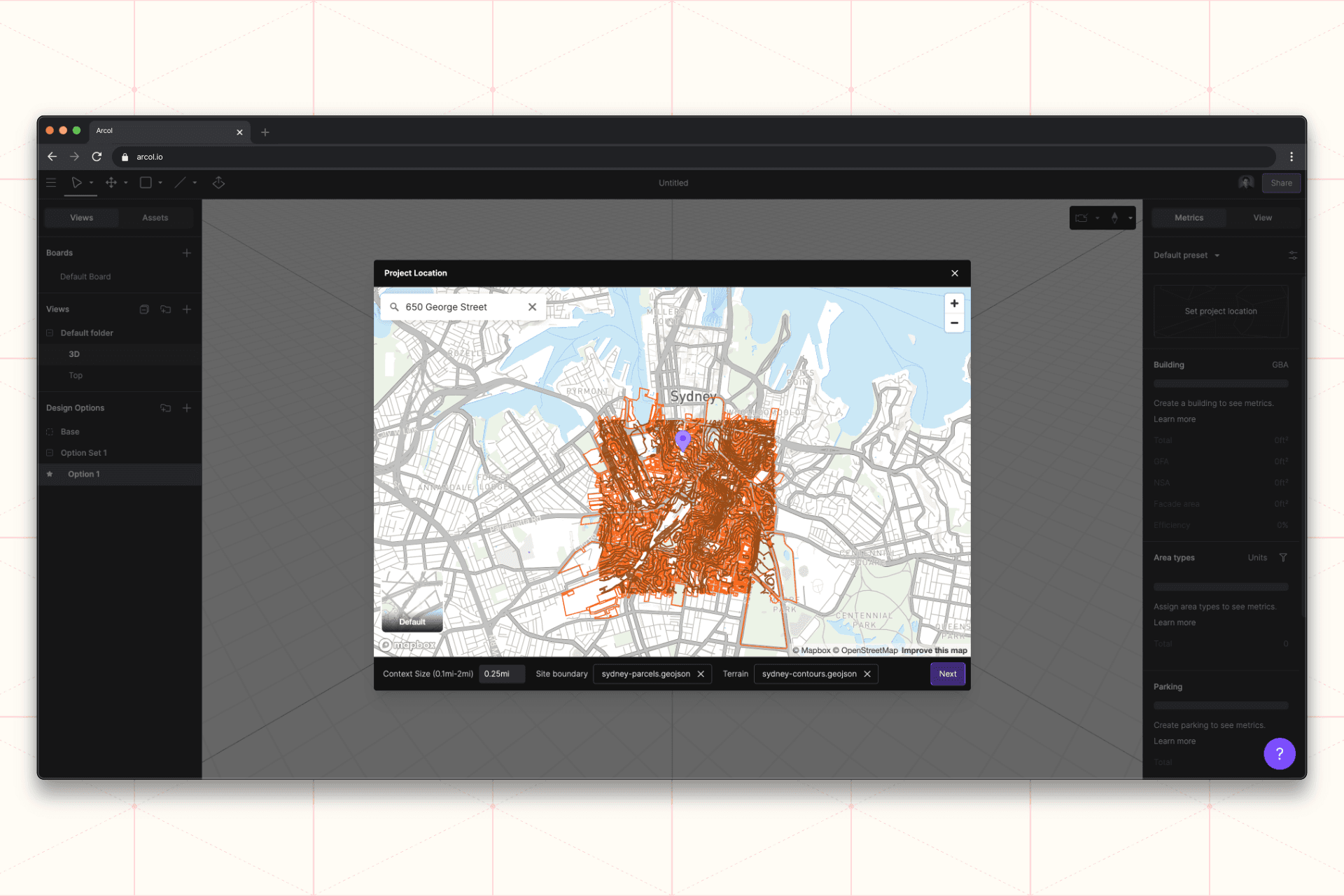
How custom site boundary import works
Custom site boundary import lets you bring your own georeferenced file (shapefile, or any other GDAL-supported format) into Arcol. Open a new project. Drop in your georeferenced file. The boundary lands on the map at its real-world coordinates.
Combine it with custom terrain to give the site the elevation context it deserves. Layer in the surrounding map data, and you have a complete site stack (boundary, terrain, neighborhood, coordinates) sharing one coordinate system before the first line is drawn.
What this unlocks
The accuracy of your site flows through the rest of the project automatically, because the site isn't a separate file. It's part of the design file.
This is what connected design actually means. The pieces of a project should travel together, in a single environment, from the first click.